
Image & Video playlists – a digital signage staple
- Features
-
-
-
 Microsoft 365
Sync your Room and Events mailboxes to populate onscreen events and meeting calendars.
-
 PowerBi
Show your Microsoft PowerBi reports live directly in your signage.
-
 Viva Engage
Syndicate posts from your Microsoft Viva Engage groups.
-
 Microsoft OneDrive
Import files such as Images and Video from your personal or business OneDrive account .
-
 Ubiqisense
Show Ubiqisense sensor data or dashboards on screen.
-
 Dropbox
Import files such as Images and Video from your personal or business Dropbox account.
-
-
-
-
- Add-Ons
-
-
Events
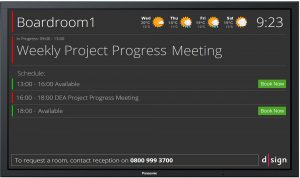
The Events Add-on improves your visitor experience, adds efficiency to your meetings & events and keeps you up to date.
Combining event management and display with visitor recording and orientation, d|sign Events is indispensable where ever people meet.
-
Hub
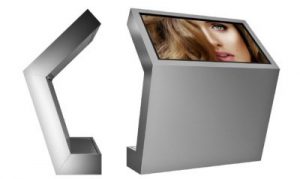
A d|sign Hub brings together the power and flexibility of digital signage with the benefits of a touch screen to offer live and searchable services and provide feedback and metrics to your cloud control panel.
Make your content navigable or provide more information on specific threads of information when the user touches it.
-
Menu Boards
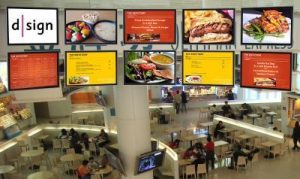
Use a range of digital devices to present your menu to customers.
It’s easy to create menus for every scenario, even if your menu changes every day. All your customers can see what you offer.
Better menu presentation and information is a sure fire way to improve customer experience.
-
Clinic
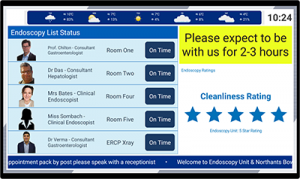
The Clinic Add-on comes with a dedicated portal for receptionists and administrators to update day to day waiting times, duty rosters and critical messages.
Suitable for waiting rooms and clinics across health care and professional drop in services.
-
Transport
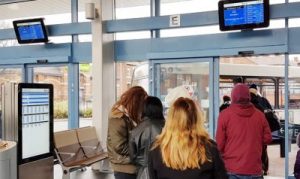
The d|sign Passenger Information system provides a full solution for managing and displaying passenger information across a range of devices and platforms to meet every need of the modern interchange.
Bringing together both scheduled and live transport data with promotional, advertising and value added media for the passenger, and all managed and monitored online.
-
Desking
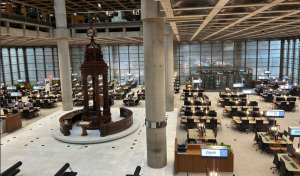
Allocate users or companies to desks or rooms, allow users to self book.
Display desk and room use at entrance or desk level and view usage in reports.
-
-

Great things are on the horizon
Something big is brewing! Our store is in the works and will be launching soon!